> ## Documentation Index
> Fetch the complete documentation index at: https://invopop-billing.mintlify.site/llms.txt
> Use this file to discover all available pages before exploring further.
# Modify or cancel your subscription
> Modify or cancel your subscription to Invopop.
**Note:** To connect an app in your live workspace, first add it to your subscription. Free apps are no exception: your first country app costs nothing, but it still has to appear on your plan before you can use it.
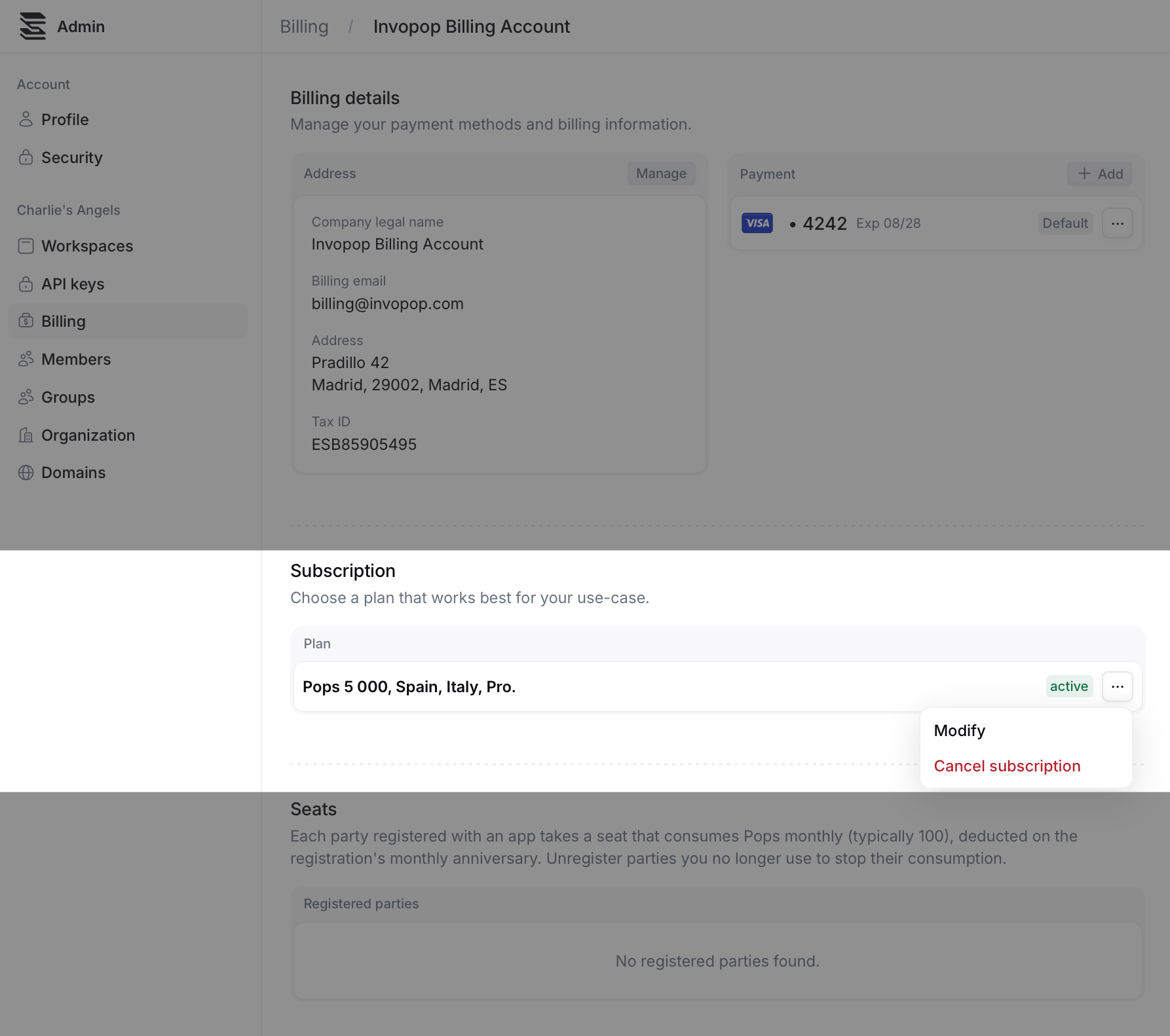
To modify or cancel your subscription, navigate to **Billing,** go to the **Subscription** section, and click on the three dots on the right.
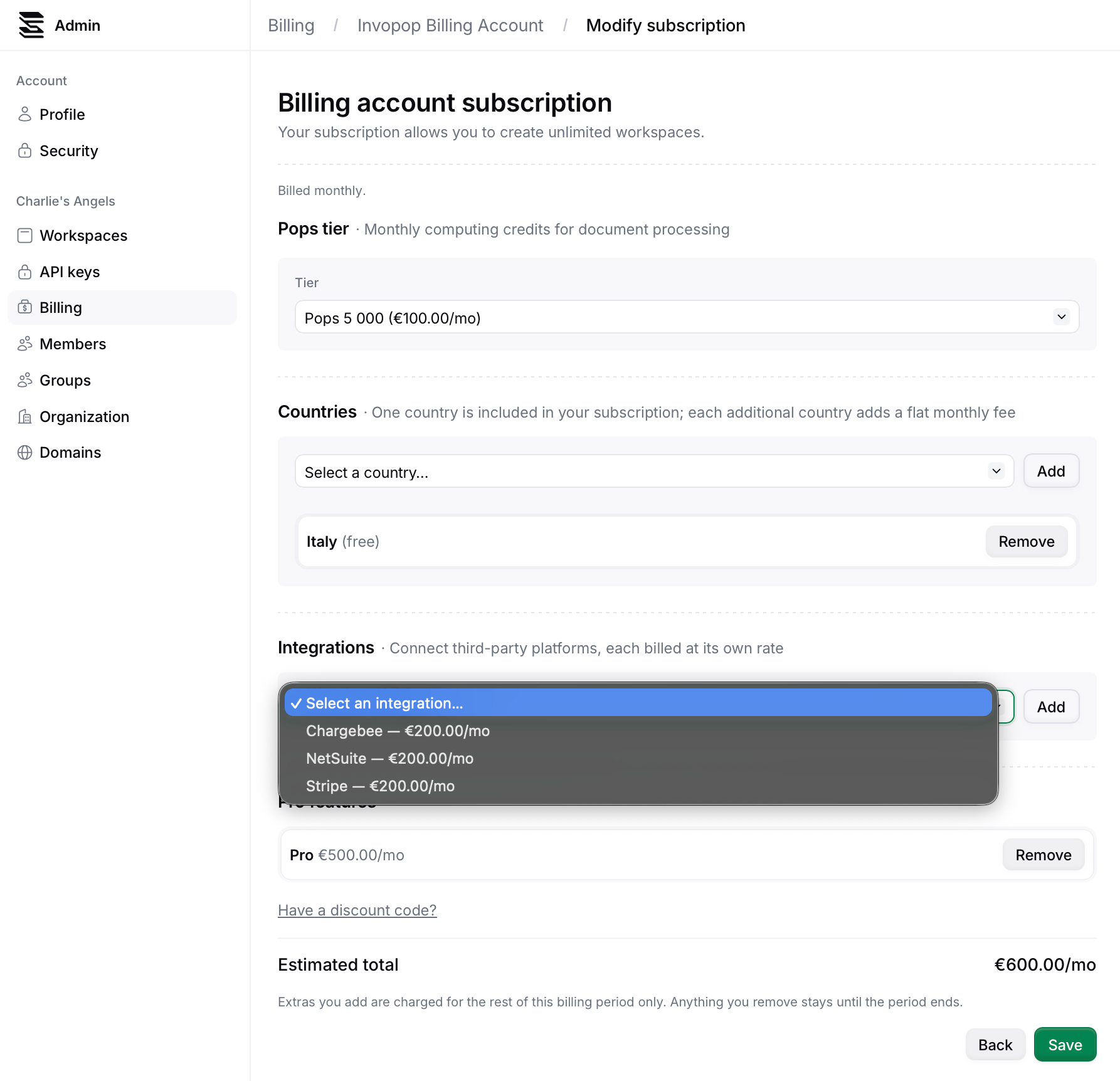
 Once you click Modify , you will be able to remove or add products to your subscription.
 ## FAQ
Get in touch with us at [support@invopop.com](mailto:support@invopop.com), and we will modify it for you.
## FAQ
Get in touch with us at [support@invopop.com](mailto:support@invopop.com), and we will modify it for you.